To manage the administration of Controlled Substances, please use the following instructions.
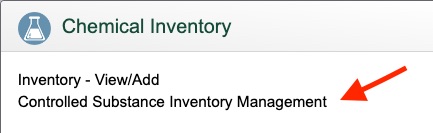
- Click Inventory icon

- Click Controlled Substances Inventory Management
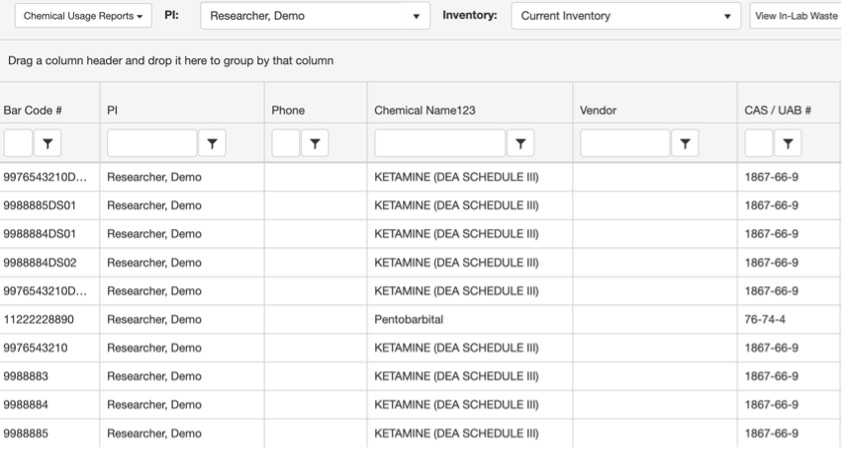
- Double-click on the row of the bottle that you want to work with from the inventory in the table.
- Under Usage for Bottle ID #, click Add to dilute.

- For dilution:
Enter the date (or select by clicking the Calendar button).
Click the drop-down menu next to Usage Type > select Dilution from the menu.
Record your Usage Amount and Final Amount (the total volume after adding the dilutant for correct concentration) then click Save.
A new dilution bottle will be created in your inventory. Dilution bottles can be “administered” following the above steps.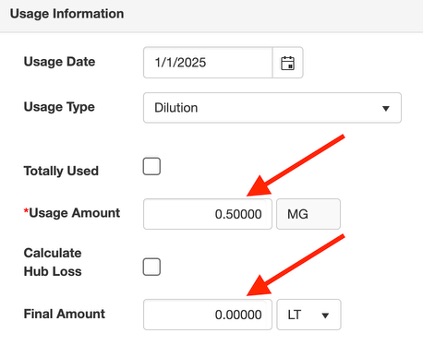
- Once completed, click Save.