Office of Academic and Faculty Affairs
 The Office of Faculty & Academic Affairs, led by Jennifer Christy, Ph.D., Interim Associate Dean for Academic and Faculty Affairs, supports the academic mission and curriculum of the UAB School of Health Professions. We oversee and guide the academic advancement and development processes and programs. Our office includes the Learning Resource Center team and the Instructional Design & Support team. Our mission is to provide resources, structure and a quality educational experience for our students and to support SHP faculty in research and scholarship.
If you are a faculty or staff member in need of assistance please visit us in SHPB 660 or contact Jasmine Jean at 205-996-1278 or
Learning Resource Center
The Learning Resource Center (LRC) offers rooms, resources, and a highly trained support staff to serve your needs. We offer a variety of materials and resources, free for checkout, designed to support all your academic endeavors.
-
LRC Resources
The Learning Resource Center (LRC) offers rooms, resources, and a highly trained support staff to serve your needs.
Commons Area
Conveniently located just past the entrance facing University Boulevard, the Commons Area features lounge spaces and communal tables perfect for studying and group collaboration. For added convenience, the area is equipped with two WEPA networked printers, allowing students to print documents on demand.
Room Resources
The LRC offers classroom space, meeting rooms, and testing labs for all School of Health Professions’ faculty, staff, and students. Through UAB’s 25live online booking system, you can reserve spaces across multiple locations, including the Center for Biophysical Sciences and Engineering (CBSE), the Learning Resource Center (LRC), Lister Hill Library (LHL), the School of Health Professions Building (SHPB), and the Webb Building (WEBB). These rooms can accommodate groups ranging from 10 to 208 individuals. Explore the available rooms and discover more information by clicking below.
Click here to see our Computer Hardware and Software Procedures for instructor stations and the multifunctional rooms.
-
Classrooms
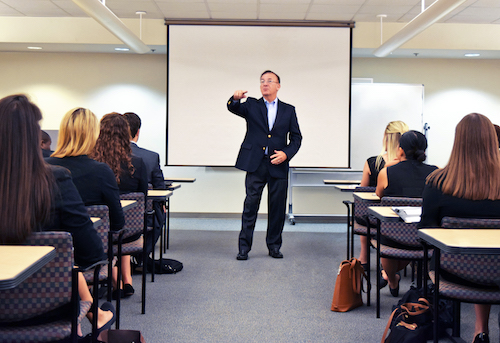
Each classroom managed by the LRC is equipped with AV technology for in-person or remote presentations.
Click here to download Classrooms rules and procedures
LRC 235/249 combined (seats 208)
Note:
LRC 235 seats 102
LRC 249 seats 106LRC 210 (seats 122)
LRC 267 (seats 15)
SHPB 224 (seats 90)
SHPB 226 (seats 60)
SHPB 641A/B combined (seats 32)
Note:
SHPB 641A seats 16
SHPB 641B seats 16WEBB 511 (seats 42)
WEBB 535 (seats 50)
WEBB 551 (seats 42)
CBSE 102A/B combined (seats 96)
Note:
CBSE 102A seats 48
CBSE 102B seats 48 -
Testing Labs
Each testing lab is equipped with an instructor workstation, an overhead projector and screen, a portable whiteboard, and a wireless lavaliere microphone.
UAB School of Medicine IT maintains all Lister Hill testing lab’s computer hardware and software.
LHL G13/G15/G17 combined (seats 153)
Note:
LHL G13 (seats 55)
LHL G15 (seats 60)
LHL G17 (seats 38)
LHL G19 (seats 29)
LHL G20 DSS (seats 30)
-
Multifunctional Rooms
Each multifunctional room provides flexibility for both computer lab setup and traditional learning, with the use of pop-up monitors, AV technology for in-person or remote presentations.
Click here to download Multifunctional Rooms rules and procedures
LRC 219/215 combined (seats 60)
Note:
LRC 215 (seats 30)
LRC 219 (seats 30)
LRC 210A (seats 27)
-
Meeting Rooms
Click here to download Meeting Rooms rules and procedures
LRC Large (seats 12 – 16)
Rooms 253, 255, 260, and 265 include overhead projector/screen or a mounted tv, whiteboards, and laptop connection via HDMI.
LRC Small (seats 10 – 14)
Rooms 257, 259, 261 and 263 include 50” plasma display, white boards, and laptop connection via HDMI.
Request a Room
Please use our 25Live system to request a room.
-
Resources
The LRC also offers many resources to enhance your class or meeting.
Request Resources
Use our 25Live system to request resources and follow these steps:
- In the “Event Title” section – please add the room where you need the resources.
- In the “Event Locations” section – please click any available “LRC Resource Allocation” available.
- In the “Event Resources” section – please click the resources you need.
-
Instructional Design & Support
Our Instructional Design & Support team works directly with SHP faculty and instructors to assess and address specific needs of each learning experience. They work on course design, delivery, strategies, methods and more for on-site, online, and blended course formats. You may reach them via email at
This email address is being protected from spambots. You need JavaScript enabled to view it. or by phone at 205-934-5146.
Request a Room
Please use our 25Live system to request a room.
Resources
The LRC also offers many resources to enhance your class or meeting.
Resources Offered:
- Polycom Teleconference Device
- Polycom Videoconference Device
- Laptop
- DVD Player
- Portable Projector
- Tables
- Chairs
- Easel
- Multimedia Studio
- 35MM Digital Camera
- Video Camera
- Video Recording
- AV Speialist On-Hand
Request Resources
Use our 25Live system to request resources and follow these steps:
- In the “Event Title” section – please add the room where you need the resources.
- In the “Event Locations” section – please click any available “LRC Resource Allocation” available.
- In the “Event Resources” section – please click the resources you need.
-
-
LRC Support
The Learning Resource Center (LRC) is fully staffed with a friendly team to assist you with any needs while you use the resources of our electronic media center.
Contact
For general questions, or if you have not received your room confirmation within 24 hours, you may
This email address is being protected from spambots. You need JavaScript enabled to view it. or visit our Help Desk on the 2nd floor of the LRC.Please contact a staff member listed below during normal business hours if you have a specific question about a service or a resource.
Staff – Audiovisual Specialists
Doctorre McDade
Audiovisual Specialist
Office: SHPB 230 D
This email address is being protected from spambots. You need JavaScript enabled to view it. Christopher Reid
Audiovisual Specialist
Office: SHPB 230 E
This email address is being protected from spambots. You need JavaScript enabled to view it. Staff - Administration
Marcie Willis
Director
Office: SHPB 230 A
This email address is being protected from spambots. You need JavaScript enabled to view it. Alex Stephens
Program Manager
Office: SHPB 230 C
This email address is being protected from spambots. You need JavaScript enabled to view it.
Instructional Design & Support
The School of Health Professions (SHP) Instructional Design & Support (IDS) team is here to assist SHP instructors with providing excellent learning environments both in and out of the classroom. We assess and address the specific needs of each learning experience whether on-site, online or blended courses. Our work includes course design, delivery strategies, assessment methods, and more.
-
IDS Resources
Explore the many opportunities, tools, technologies and programs we offer to help ensure your success and that of your students.
Tuesday Tips
Each Tuesday we post new technology or helpful tips for you.
See Tuesday TipsFaculty Spotlights
Faculty members provide valuable insight into the tools they use and share the secrets to their success.
See Faculty SpotlightsVideo and Photo
The IDS team also supports you with video production, photo shoots, and headshots.
See Video / Photo SupportTraining
Sometimes the training or professional development you need is not provided by another UAB unit and that is where your IDS team can help you. We offer numerous resources - all you have to do is click and read.
See Training ResourcesOther Resources
-
Best Practices
-
-
IDS Support
We apologize for any technical problems you may be having. We are definitely here to help you. However, we cannot be everywhere at the same time. And regretfully we cannot be available 24/7.
Here is quick access to potential solutions:
Canvas Tech Support
If you need immediate assistance at any time of day or night here are three easy steps to help solve your problem or get you help fast:
- Login to Canvas and select the Help button from the Green Navigation bar in the upper right corner for a list of ways (e.g., Live Chat, Call, Send a ticket) for Getting Help.
- Can’t login to Canvas? Visit BlazerID Central for help with your Blazer ID or to change your password.
- No problems with BlazerID and still can’t access Canvas? Call Canvas Support Hotline at 855-778-9969.
Ask IT
Need technical assistance? UAB provides support through Ask IT.
- 205-996-5555
This email address is being protected from spambots. You need JavaScript enabled to view it. .- Find online support.
Contact Us
Courtney Garza Brock
Instructional Design Specialist Senior
Office: 230 G
This email address is being protected from spambots. You need JavaScript enabled to view it.