Note for users of screen readers: Letters in parentheses in the instructions below refer to corresponding areas on example images. If you have any questions about these instructions, contact the Office of Learning Technologies for assistance opens a new website.
- Navigate to BlazerNET opens a new website. Enter your BlazerID and password.
- Click on “Enter BlazerNET.”
Depending on your role and permissions, the following screenshots may look slightly different. The steps are the same. For users of screen readers, all instructions are included in the page text.
- Click on “UAB Menu”
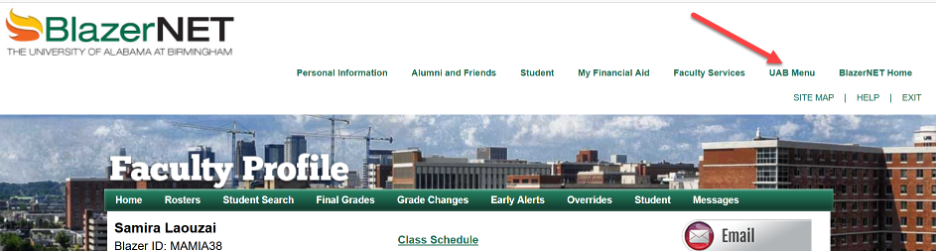
- Select “Your UAB List.”
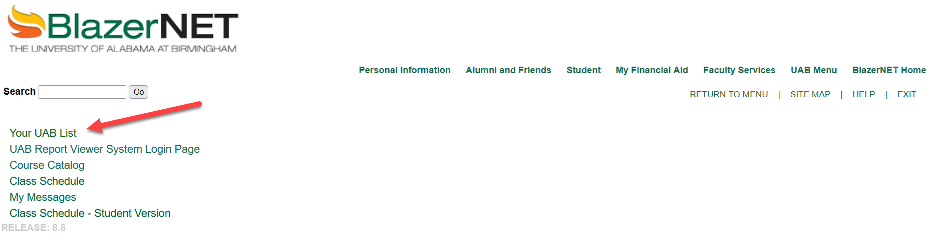
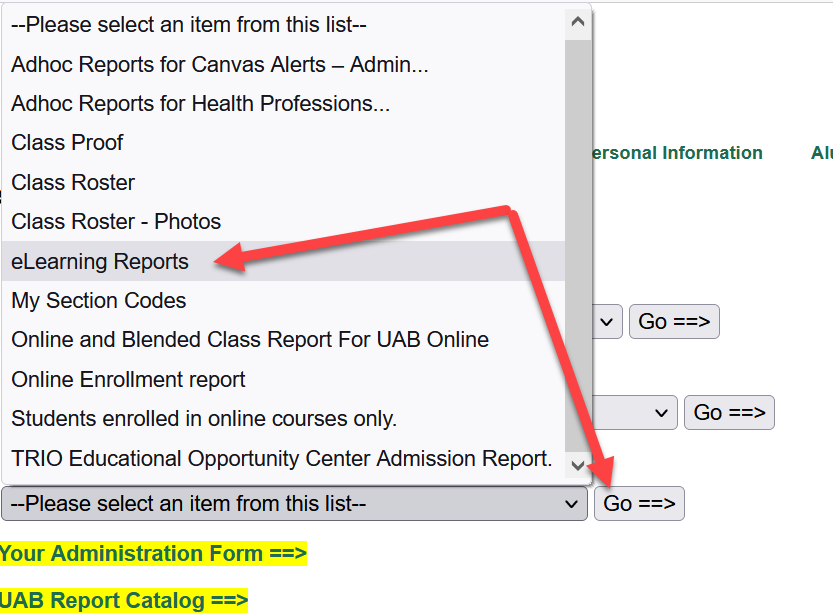
- Navigate to “Your On-Line Reports” and select “eLearning Reports” from the dropdown menu.
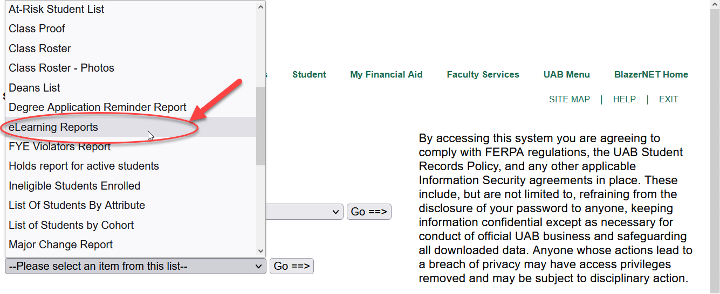
- Click “Go==>”
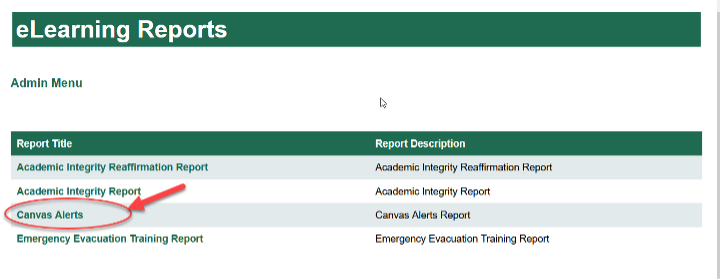
- Click on “Canvas Alerts.”
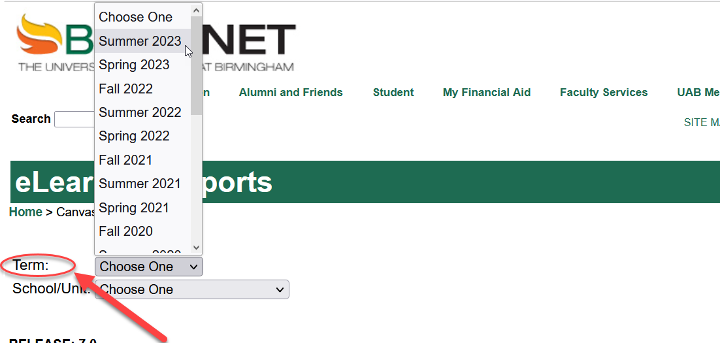
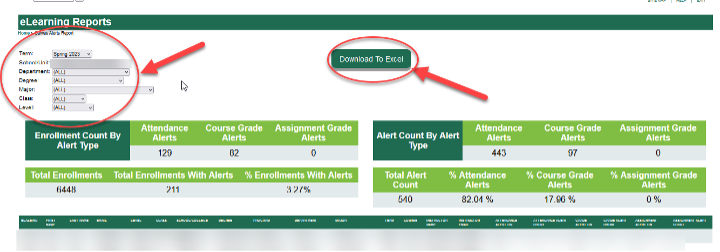
- Select a term for the report.
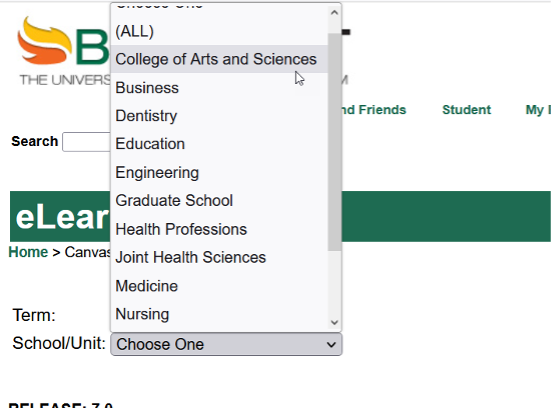
- Select a school/unit for the report. Allow a moment for processing time and for the report to display. Note: You have been granted access to view reports for a specific school/unit. If additional permissions are needed, contact Will Hampton for assistance.
- Use filters to display data by department, degree, etc.
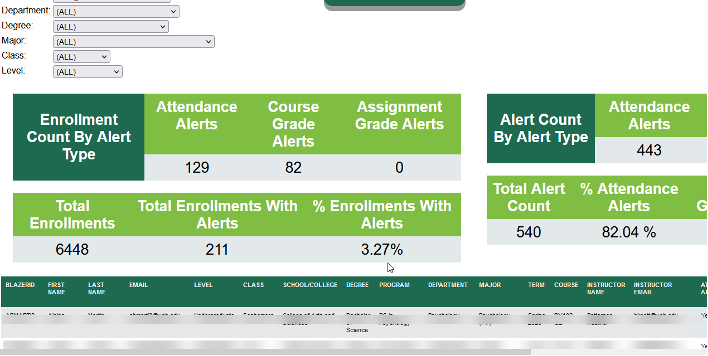
- Click on “Download To Excel” to download a copy of the report.
Questions? Please contact OLT opens a new website.